THE WAVE.AERO PLATFORM
Plan. Monitor. Protect.
One connected platform.
Turn protection requirements into a deployment plan, bring field information into one operational picture, and coordinate the next step through a shared workflow.
01 / PLAN →
Site information
Requirements & priorities
A deployment plan
02 / MONITOR →
Cameras · sensors · telemetry
Events in context
One operational picture
03 / PROTECT
Event assessment
Available resources & controls
A coordinated response
01 / PLAN
Start with the operation.
Build a plan around it.
Every deployment starts with a different environment, threat assessment and set of constraints. The AI planning engine uses the information you supply to propose a protection plan for review.
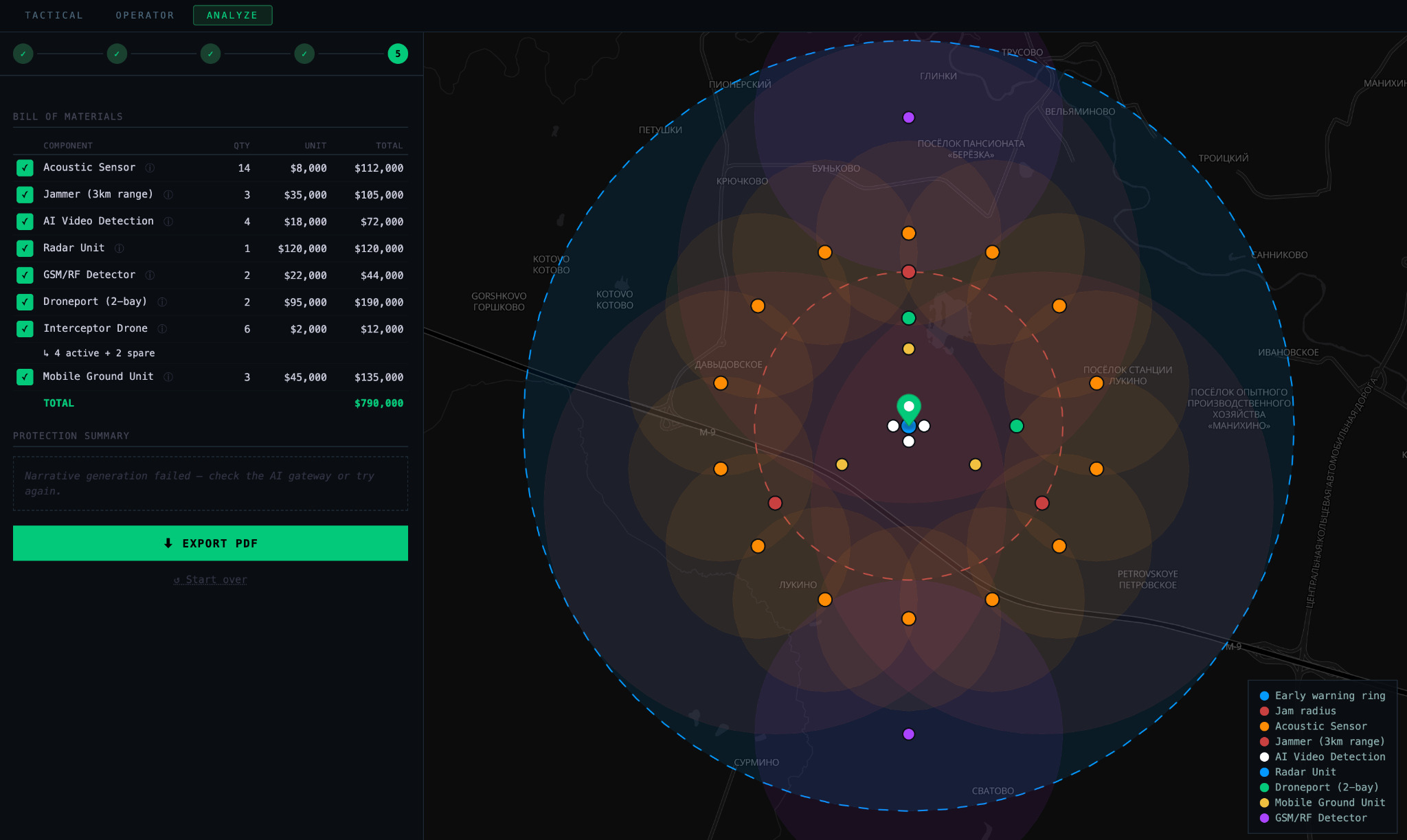
Bring the requirements together
Use location information, architectural documents, intelligence and threat assessments to describe the asset and its surroundings. Define priorities such as the early-warning radius, coverage areas and the number of simultaneous threats the proposed deployment needs to address.
Review a concrete proposal
- Components: a proposed combination of sensing, surveillance, communications and protection resources.
- Deployment: suggested equipment placement and arrangements around the operating environment.
- Budget: an estimate tied to the proposed equipment and deployment.
The result gives your team a common basis for reviewing coverage, integration and budget before deciding how to proceed.
02 / MONITOR
See events in context.
Keep the operational picture connected.
Bring camera feeds, sensor alerts, imagery and equipment telemetry into a shared interface. Operators can assess what happened, where it happened and which information is available around the event.
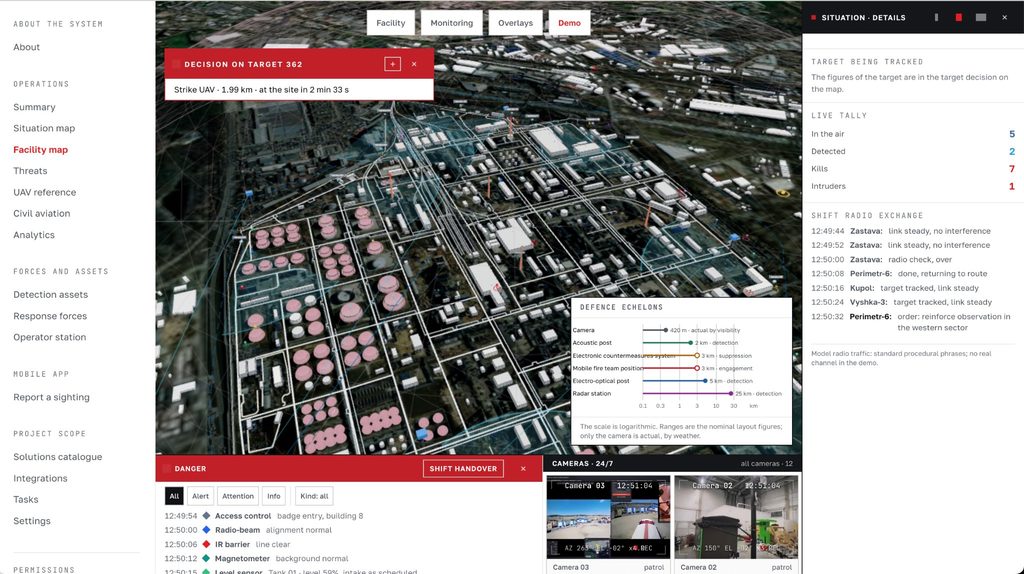
Connect information across air, ground and sea
- Air: combine video, acoustic and radar observations with information from aerial surveillance.
- Ground: bring perimeter alerts, cameras, field sensors and droneport status into the workflow.
- Sea: connect vessel surveillance, radar, imagery and observations from aerial and maritime platforms.
Review alerts alongside their location, supporting imagery and resource status. Give teams the context they need to assess an event and coordinate the next step.
03 / PROTECT
Move from assessment
to a coordinated response.
Connect the operational picture with the resources available for the deployment. Operators can assign resources and initiate predefined actions through configured permissions and controls.
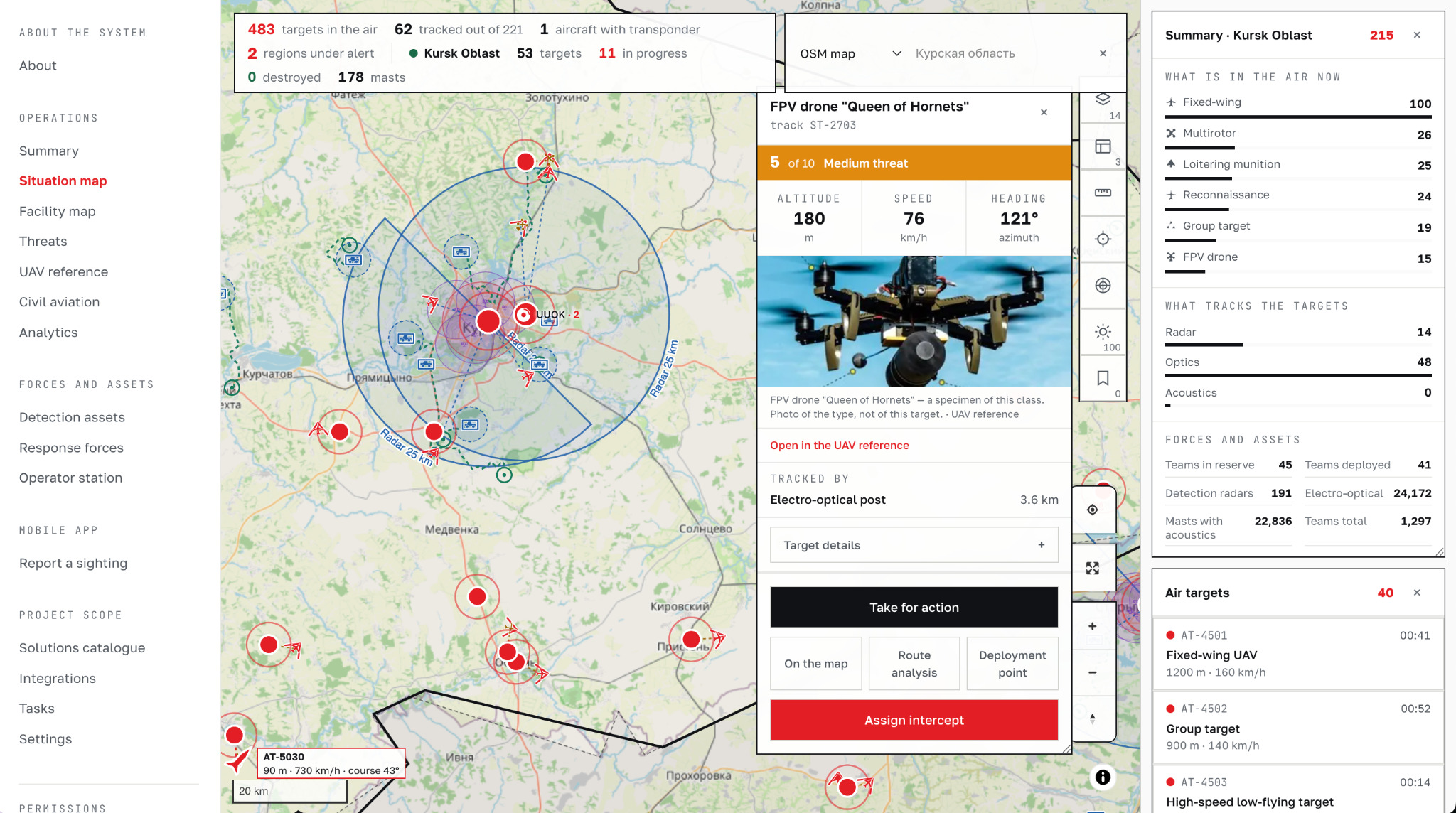
Define how your team acts
- Resource coordination: bring supported protection resources into the same operational workflow.
- Operator permissions: define which users can access functions and initiate actions.
- Confirmation requirements: specify which actions require an operator’s approval before proceeding.
The workflow connects assessment and action around the way your team operates, the equipment available and the controls defined for the deployment.
BUILT AROUND YOUR DEPLOYMENT
Connect the systems.
Simplify the workflow.
Start with the equipment and information already available. Bring supported sensors, surveillance systems, UAVs and field communications together through the operational platform.
- Understand the starting point: identify existing equipment, available data and operator requirements.
- Define the connections: establish which systems need to exchange information and which controls belong in the shared interface.
- Shape the deployment: align equipment selection, coverage, communications and permissions with the operating environment.
Find your operating environment → Explore products and integration →
Discuss your protection requirements
Tell us what you need to protect. We’ll help define the next step.